Windows or Linux, 64-bit. Mac is still being tested.
Memory
16 GB of RAM for a small first model. Bigger models need more.
Disk space
10 GB free to start. Most models are several gigabytes each.
Graphics card
Helps a lot. NVIDIA cards are the best tested; AMD, Intel and integrated graphics are used through llama.cpp's Vulkan build, with less testing. Without one, models run on the processor, more slowly.
04 / The platform
Manage engines and models from your browser
Start on one machine, with engines and model settings you can manage from a browser. Add the AI apps and services you already use, then more machines when you need them.
Engine setup, handled
Install, update and remove llama.cpp, MLX and the experimental Strata from the browser, and restart them after a crash. Run a vLLM installation you already have. Eugene Plexus wraps upstream engines instead of replacing them.
It manages engines and does not replace them.
Settings start with your machine
Get a suggested model and a memory estimate before you download. Settings start at a conversation length that fits the machine you picked, and you can change them.
The estimate shows what fits. It does not predict speed.
Your files stay yours
Find and download models into your own folders as plainly named files, or scan the models already there. Delete one and Eugene lists every file first. Remove Eugene Plexus and your original model files stay where you put them.
The files are plain, and they stay in your folders.
05 / The workflow
From a model on disk to the apps you use
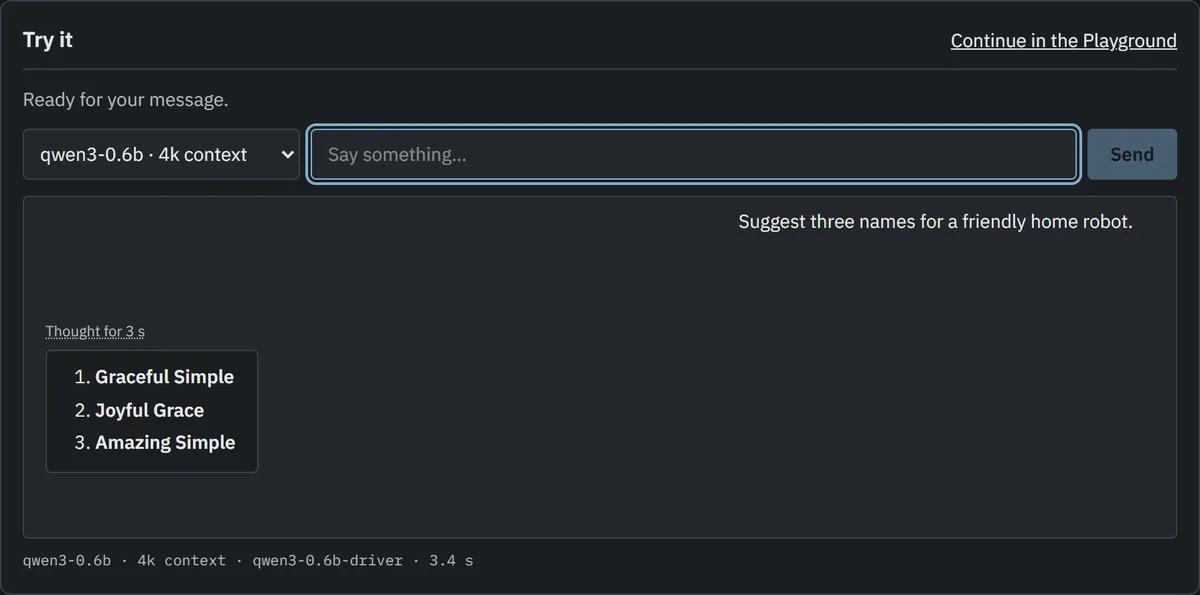
The console's Home page brings setup, the first model, and the first reply together. The side panel lists every machine and setting as your setup grows.
Start with a model recommended for the machine you choose. Discover opens on what works there now, and says for each engine whether a model runs, with a fit estimate at a stated context length where Eugene can make one, before you download. Search Hugging Face and compatible hubs, or paste a link.
Choose a passphrase and a model folder in a two-screen setup. Existing files are scanned where they are. Settings start at a conversation length that fits your machine. You can save answer settings for each model too; settings sent by your app win.
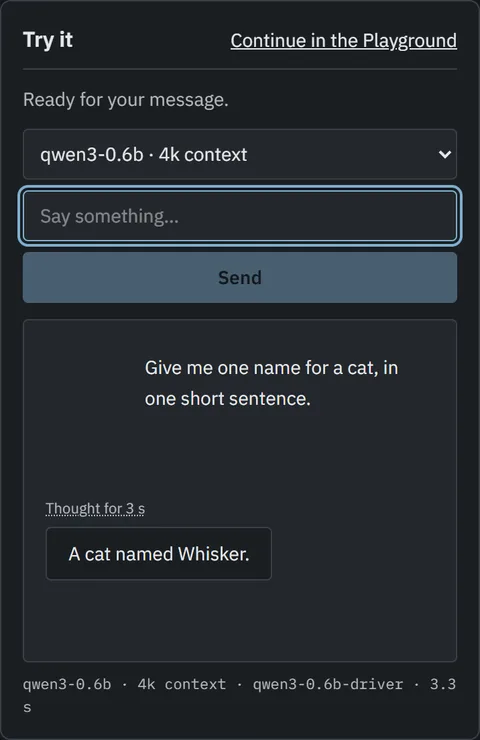
Download and run is one action, and it carries on if you close the tab. Install the engine with your approval, launch the model, and try a first reply right away. The agent restarts crashed engines; the gateway can unload idle models and wake them on demand.
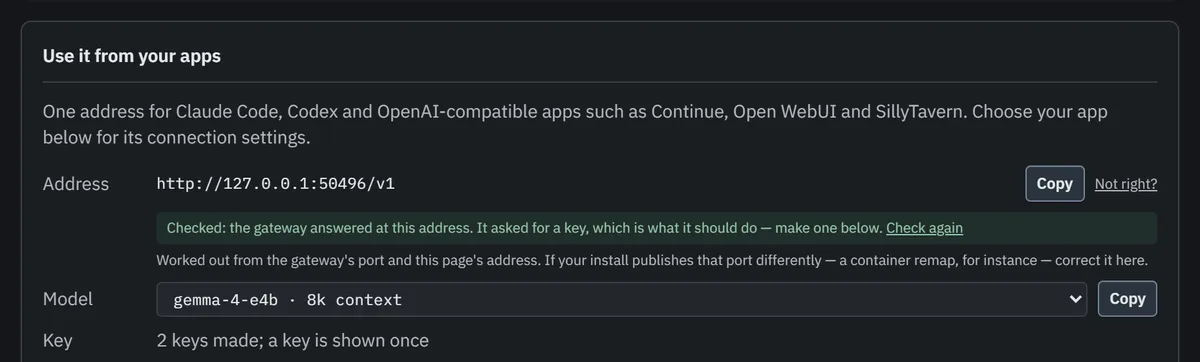
Connect Claude Code, Codex, Open WebUI or any OpenAI-compatible tool to one address, using revocable client keys. Keep Ollama or LM Studio beside the engines Eugene manages, cloud accounts such as Gemini or OpenRouter, and Claude Code or Codex subscriptions. Tools are offered to every chat model unless its engine has shown it cannot. Work is shared across copies of a model, each conversation goes back to the copy that already has it cached, and moves to your next choice when one fails.
Track downloads and model loading in the tasks tray. See problems that need attention, look back at requests and failed attempts, or use the Playground to see exactly what your apps send and get back.
Eugene Plexus is under active development. v0.5.0 is its latest release, with versioned installers and a matching container image. It is early software. It works, but it has rough edges and known limits.
Yes. Eugene Plexus is open source under the Apache 2.0 license. There is no account, subscription or usage fee. If you choose to connect a paid cloud service, that service bills you as it normally would.
Does anything I type leave my computer?
Not when you use a model on your own machine. Your messages go from your app to that machine and back. Eugene itself goes online to find and download models from Hugging Face or the hubs you add, and to download or update engines. Every six hours it also asks GitHub whether a newer Eugene is out, which you can turn off. If you add a cloud service such as OpenAI or Gemini, messages sent to it go to that service. Web search sends only the search terms. A key marked local-only never falls back to a cloud service. Workbench holds your notes back from one unless you send them for that chat.
How is this different from Ollama, LM Studio or ChatGPT?
ChatGPT runs in someone else's data center. Eugene runs models on hardware you own. Ollama and LM Studio also run models on your computer, and you can keep them. Eugene can use them beside the models it runs, with one address for all your apps. What it adds is the care around the engine: installing and updating it, saying what fits before you download, and restarting it after a crash. You can also reach it from your other devices, add more machines, and chat in Workbench with your own documents.
Do I need to use the command line?
Only to install. On Windows or Linux, installing is one command you paste and run. After that, everything happens in your web browser: choosing a model, downloading it, running it and connecting your apps. The Docker and NAS option takes a few more steps.
Is this a chatbot or an inference engine?
Neither. Eugene Plexus is the control plane around your inference setup. It installs and supervises upstream engines, manages model files and launch settings, and routes requests. The console's Home page offers a first reply; the playground is a diagnostic client, not a replacement for your chat or coding app.
Can I download it yet?
Yes. Install v0.5.0, the latest release. The guide covers setup, your first reply, updates and removal. It is early software; see the current boundaries before relying on it.
Which inference engines does it support?
Eugene installs and supervises llama.cpp, and drives a vLLM you installed. It also runs MLX on Apple silicon, checked on GitHub's macOS runners but not yet on a physical Mac. Strata, experimental, runs very large Qwen3.8-Flash-Next models on one consumer card by keeping their experts in system memory; it runs text only, one request at a time. Existing OpenAI-compatible servers, including Ollama and LM Studio, can also be connected without Eugene managing their processes. Hardware verification remains uneven; see the current boundaries.
Can I use Claude Code and my other tools?
Yes. The console's Home page writes the setup for Claude Code, Codex, Open WebUI and others, with a key for each app (the guide). Every chat model is taken to call tools unless its engine has shown it cannot, and a setting a model ignores is named rather than refused. The gateway serves OpenAI-compatible chat, embeddings, rerank and media, plus Anthropic Messages, with web search run by your install, and each conversation goes back to the copy of a model that already holds it (the research). Claude Code, Codex and Open WebUI have run with actual local models; full vendor API parity is not claimed. See compatibility limits.
Is there a chat app?
Yes. Workbench installs from Apps in the console, on any of your machines. It keeps notes you ask it to remember, answers from your documents and folders with their sources, and runs tools you approve. You sign in with Eugene, and each person you add under People gets their own chats. Read the first chat a person had in it.
Can I manage more than one machine?
Yes. Join machines and manage them from one console, which shows every machine's update status. A second machine can stand by to take over the control root. Each machine can keep a local copy of the models it runs, while leaving the original files alone. A person's own computer anywhere can be a Job Site for Workbench. Use a trusted LAN or a mesh VPN such as Tailscale to reach the console from other devices.
How can I get involved?
Browse the GitHub repositories, read a component's contributing guide, and open an issue with a bug report or an idea. Contributions use the Developer Certificate of Origin, with signed-off commits.
Still have a question? Ask it on GitHub. You need a free GitHub account, and no question is too basic.