
What it does · v0.2.1
Features in v0.2.1
Eugene runs AI models on your own machines and gives every app one address. Use it in place of Ollama or LM Studio, or beside them. Here is each part: what it does for you, what it looks like, and its limits.
Workbench
Eugene's chat app. It remembers what you ask it to, answers from your documents with their sources, and runs tools you approve.
Job Sites
Workbench on your own computers, wherever they are. They connect out, so there is no VPN and nothing to open.
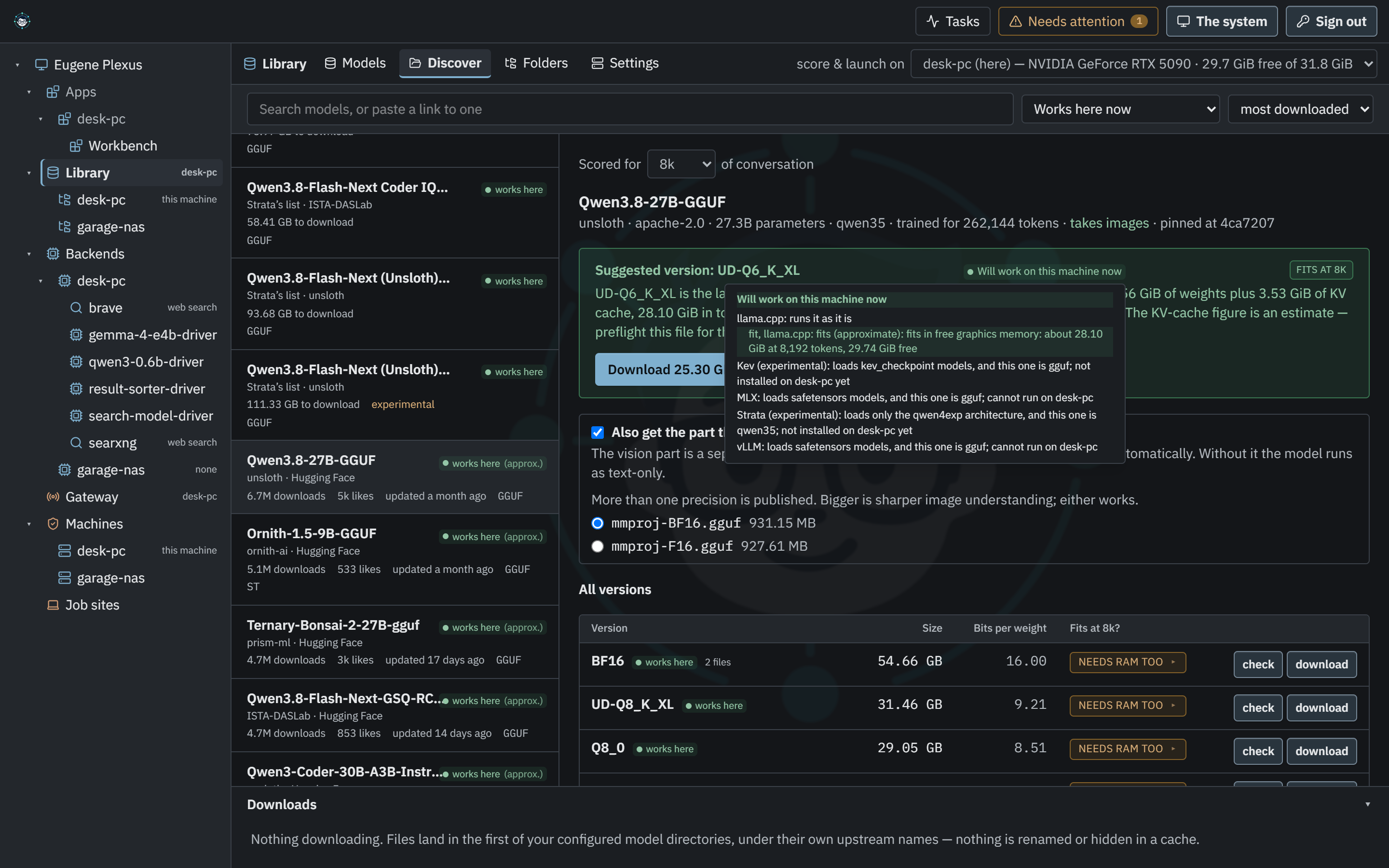
Check that a model fits before you download it
Every model and search result says whether it runs on your machine and why, engine by engine, with a fit estimate where there is one.
Details
- Discover opens on Works here now. The format filter adds Works with another engine and Everything, and results show a count.
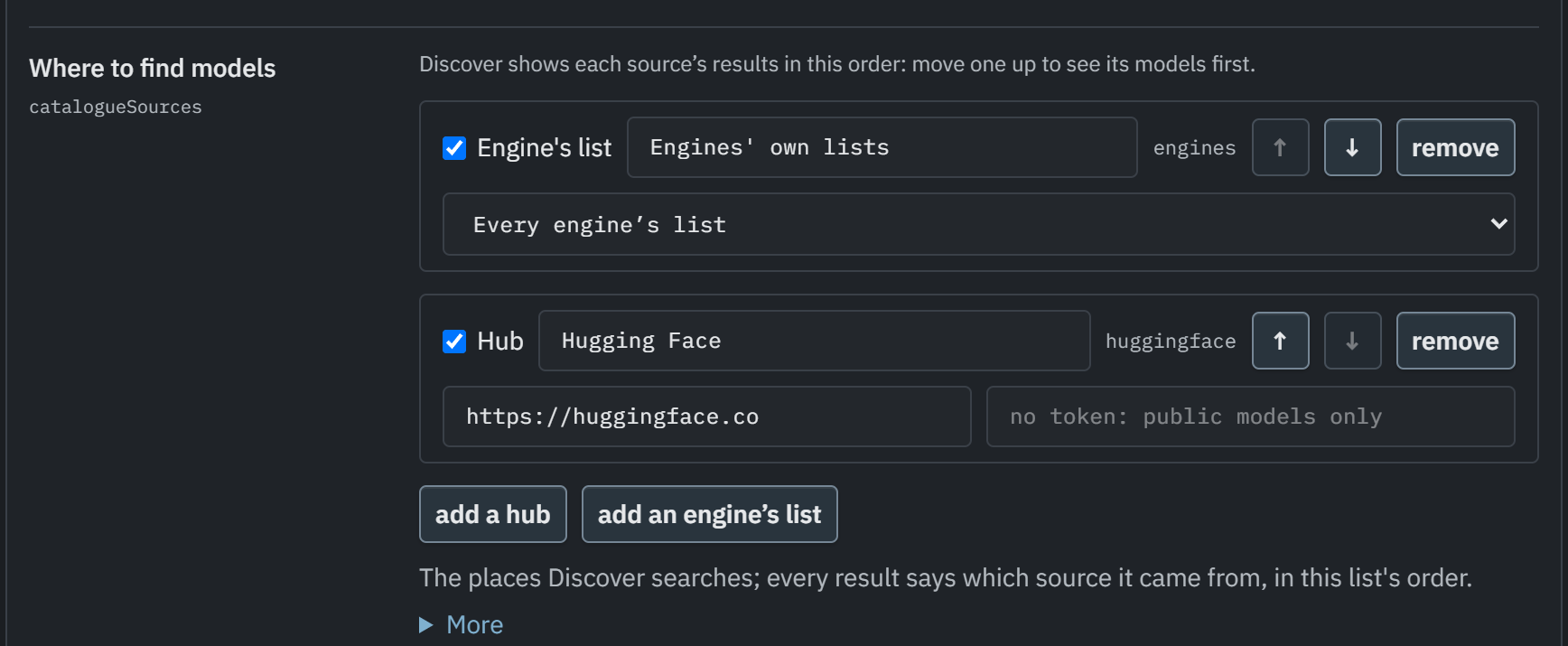
- Where to find models is a list: Hugging Face and compatible hubs, each with its own token, plus the engines' own lists.
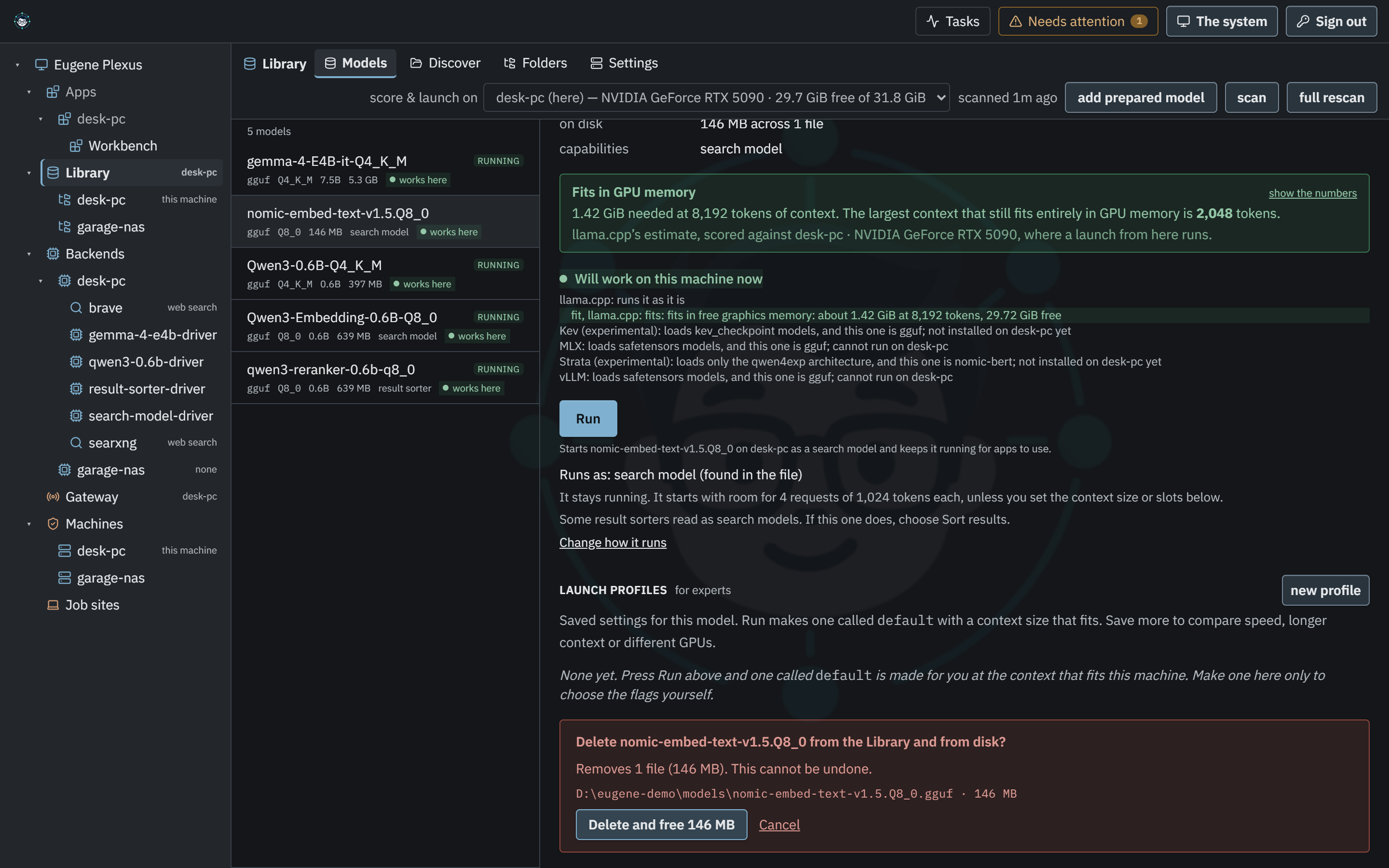
- Delete a model from its page. The confirmation lists every file, keeps files another model uses, and refuses while a machine runs it.
- A model copied to a machine shows how many of its files are whole.
Run search models on your own machine
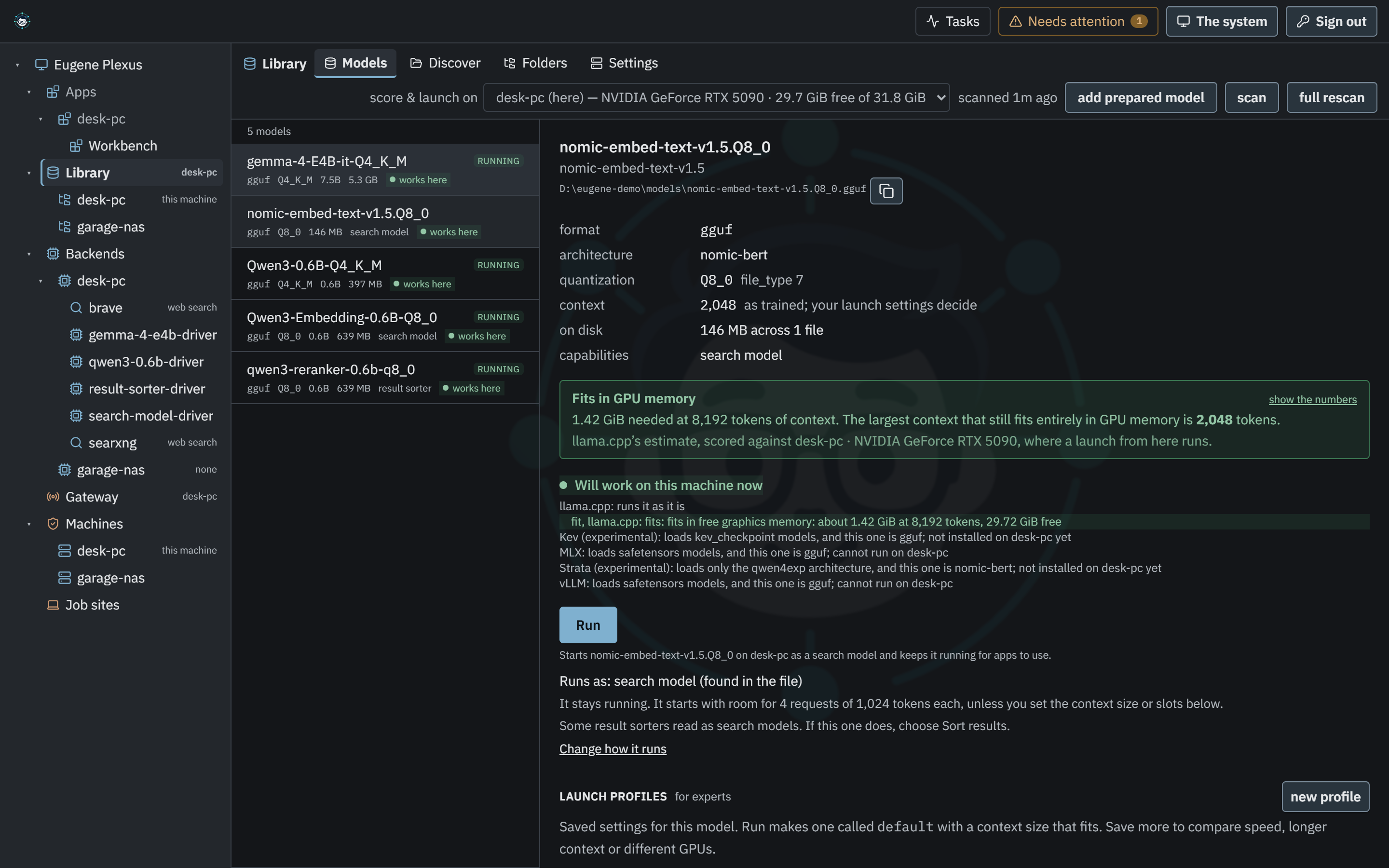
Run the models that find passages by meaning and sort what a search found, for Workbench and Open WebUI.
Details
- The agent runs search (embedding) and result-sorting (rerank) models, and the console offers three to start with.
- In the Library, Runs as says whether a file is a chat, search or result-sorting model, and lets you change it.
- One address serves
/v1/embeddingsand the new/v1/rerank, which takes Jina, Cohere and TEI requests. - Open WebUI's document search runs through Eugene.
- When embeddings ignore
dimensionsoruser, a response header says so.
Known limits
- Workbench's sorter: its default Sort time (3 s) suits a GPU, where a question takes about 0.6 s, not a typical CPU, where it takes about 7 s.
Run a local embedding model and reranker Set up local RAG with Open WebUI or your own code
Use tools with any model
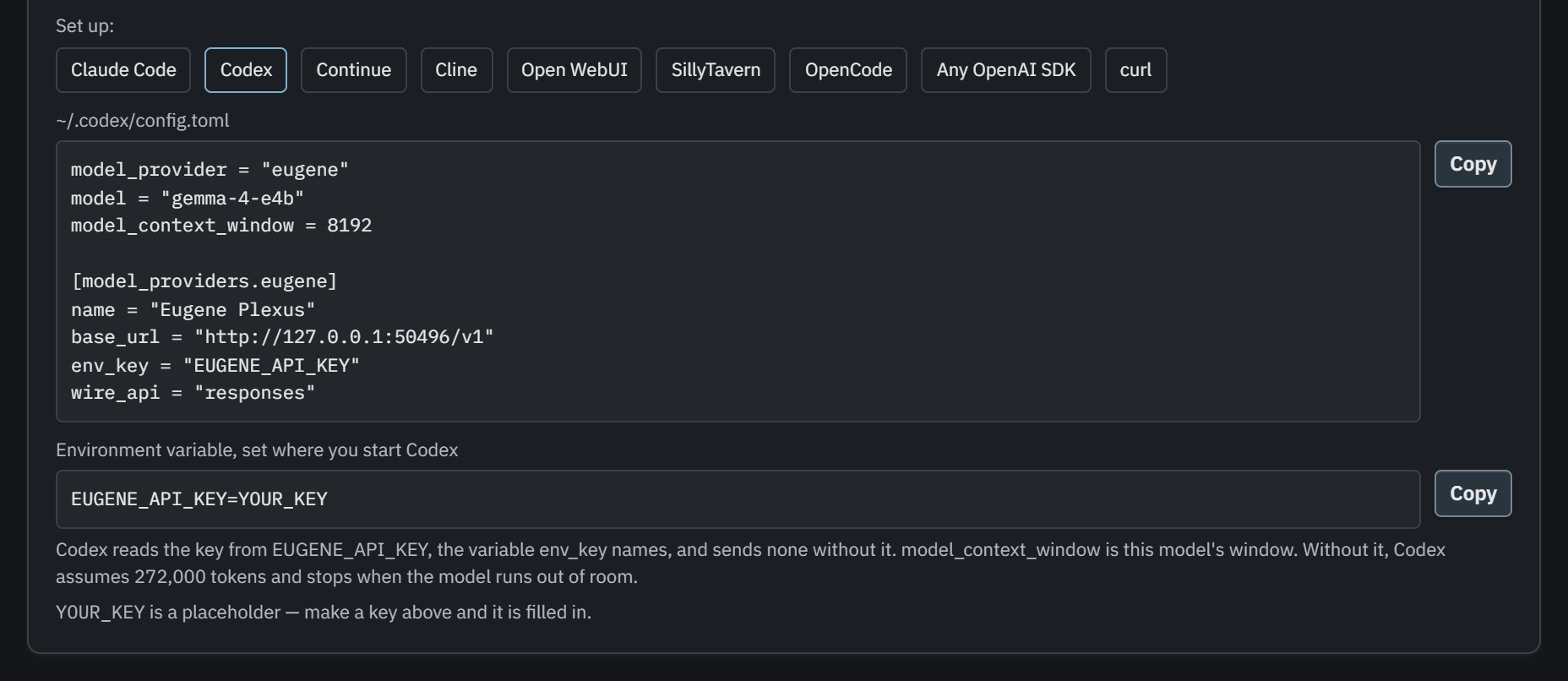
Coding agents such as Codex and Claude Code work with more models. A chat model is offered tools unless its engine or provider has shown it cannot.
Details
- A setting a backend ignores is named in the
x-eugene-plexus-ignored-settingsheader instead of refused. - That includes Gemini, most of OpenRouter's tool models, and Strata.
- The Home page writes the setup for Codex (its config file, with the key in its own variable) and for Claude Code (the model's real window in tokens, and a reply limit that leaves room to compact).
- Claude Code's session titles, memory recall and prompt hooks work, and a full context window makes it compact and carry on.
Known limits
- A Claude Code turn reserves its whole answer allowance (32,000 tokens), so a llama.cpp server with a 64k-token pool runs one Claude Code turn at a time. The others wait; they do not fail.
Providers and web search
Use the cloud accounts and subscriptions you already have beside your own models, through the same address.
Details
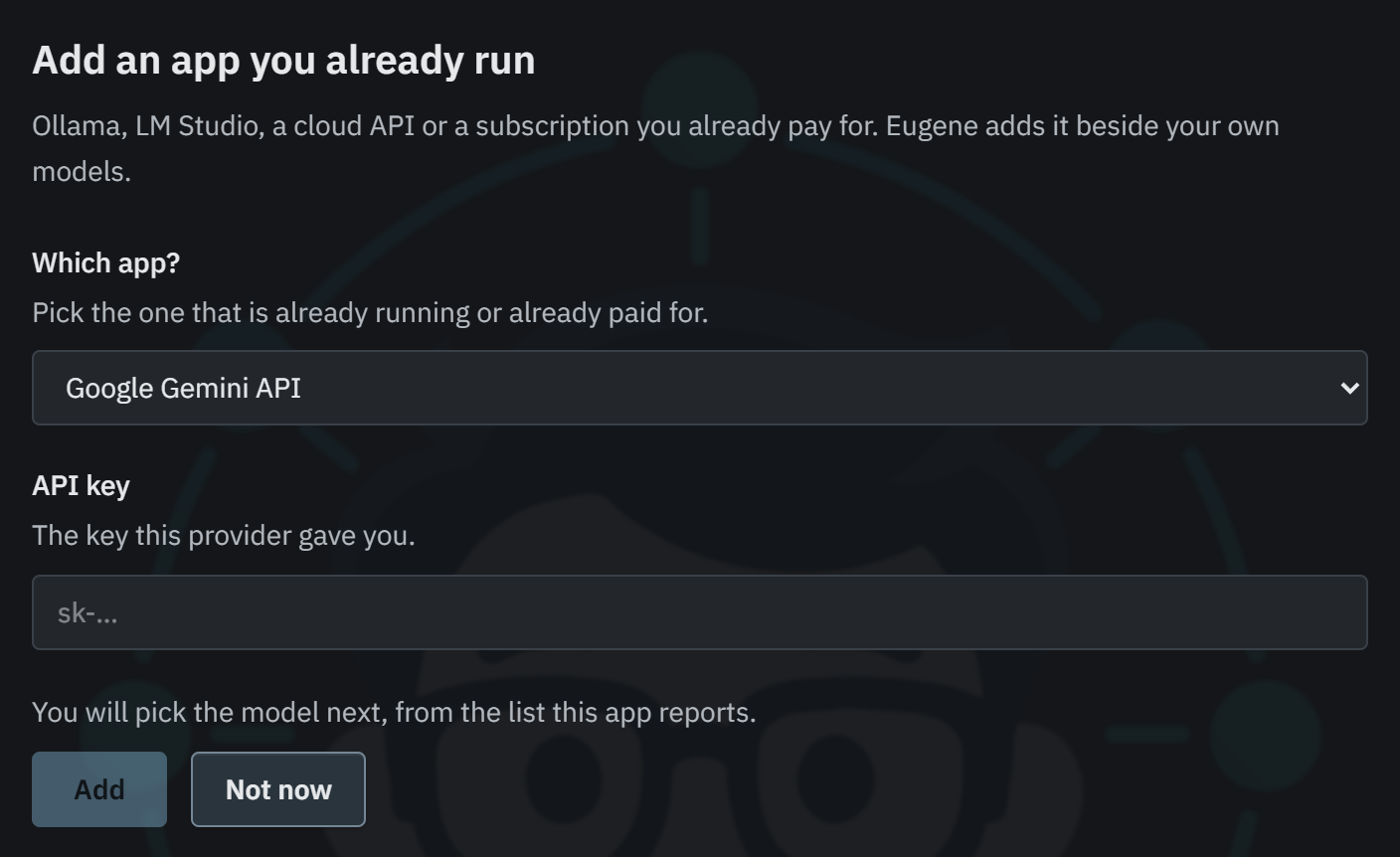
- Add a Google Gemini API account in Backends, with a key from Google AI Studio, beside OpenAI, OpenRouter, xAI and MiniMax accounts.
- Use a Claude Code or Codex subscription as a backend. It answers as a model only, and runs no tools or shell commands on the machine hosting it.
- Add LM Studio or Ollama with an address and an optional API key, so token-protected or proxied servers work.
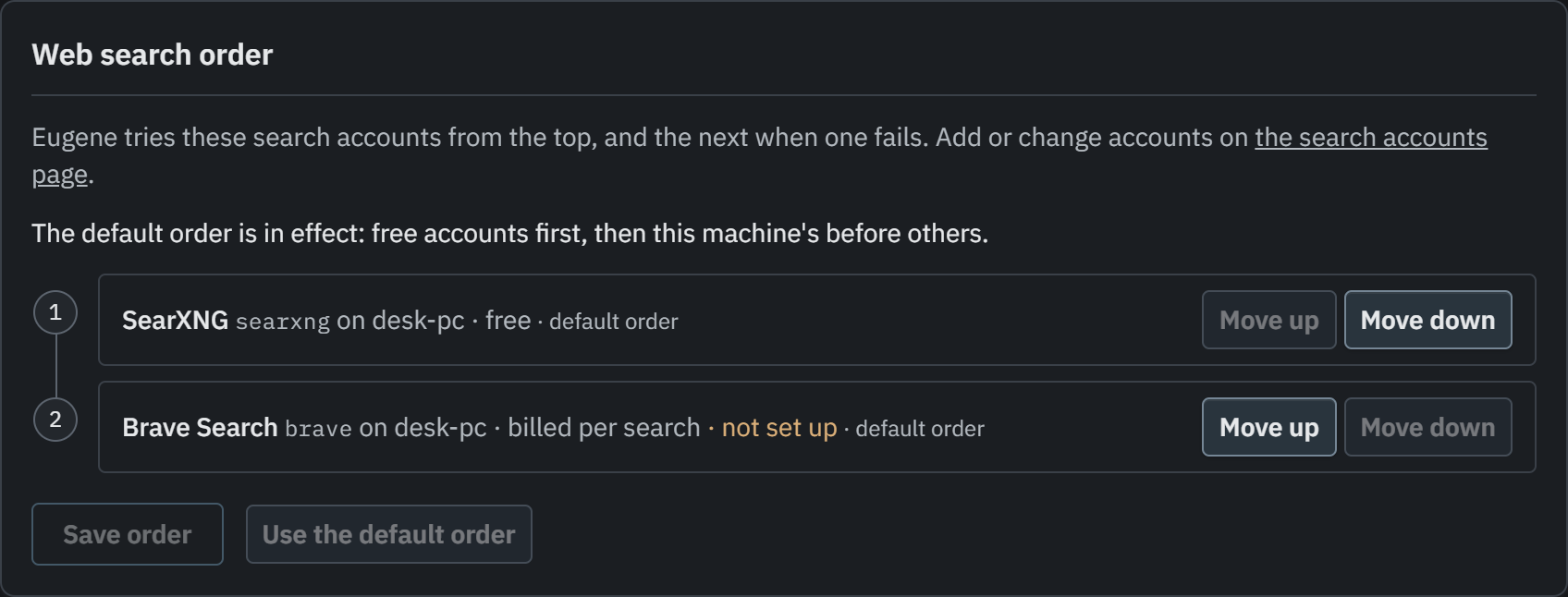
- Web search runs on your install's Brave, Google Search or SearXNG account; only the search terms reach the search service.
- Set the order web search tries its accounts in, under Routing → Web search order, or keep the default.
Known limits
- Brave's rate-limit headers are read as Brave documents them, but have not been seen from a live account.
Use OpenRouter, Gemini or OpenAI beside local models Add web search to your local models
Strata Experimental
Run the very large Qwen3.8-Flash-Next models on one consumer graphics card, by keeping their experts in system memory.
Details
- Download and prepare from Discover in one action. Run suggests preparing when Strata suits the machine better.
- Prepared models live in the Library, and each machine runs its own copy.
- Tools and structured output work.
- It prepared and ran a 68 GB model on one RTX 5090 under Windows, passing 18 of 19 checks.
- Coming from v0.1.0? Reinstall Strata before its first preparation: Backends → Strata, uninstall, then install. Prepared models are kept.
Known limits
- Strata runs text only, on one GPU, one request at a time, and its memory fit is unknown.
Machines, updates and install
See each machine's update status on one page, keep a second machine ready to take over, and remove Eugene even when it will not start.
Details
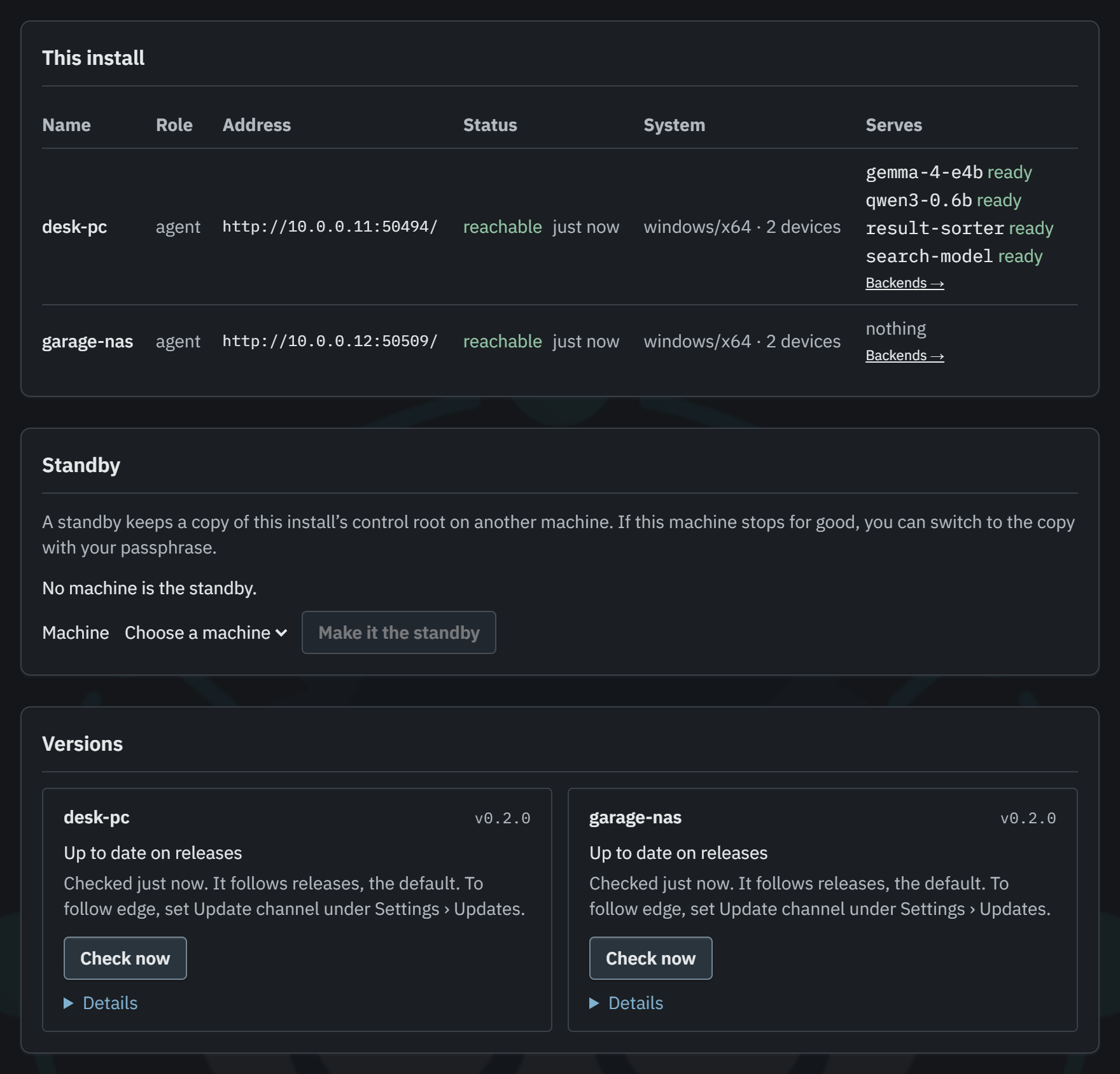
- Machines and Needs Attention show every machine's update status. An update re-checks the channel first, and installs nothing if the check fails or the target moved.
- A warm standby for the control root.
- Guided HTTPS setup, trusted proxies, and one HTTPS port for the container.
- A replica whose model is still loading is skipped for another.
- Uninstall works offline: an Installed Apps entry on Windows, a removal app on a Mac. The Mac app has not been run on a physical Mac yet.
- Metrics shows requests served and not served, with the percentage served.

Known limits
- Taking over is done on the standby with your passphrase; it is not a button in the console yet.
- With many llama.cpp servers on one machine, a reply can stall while llama.cpp saves and restores its prompt cache: 3 turns in 3,808 in our tests.
Update from v0.1.0 to v0.2.0 Add a warm standby Serve the container on one HTTPS port
That is the headline list. The release notes have every change and fix in v0.2.1.